
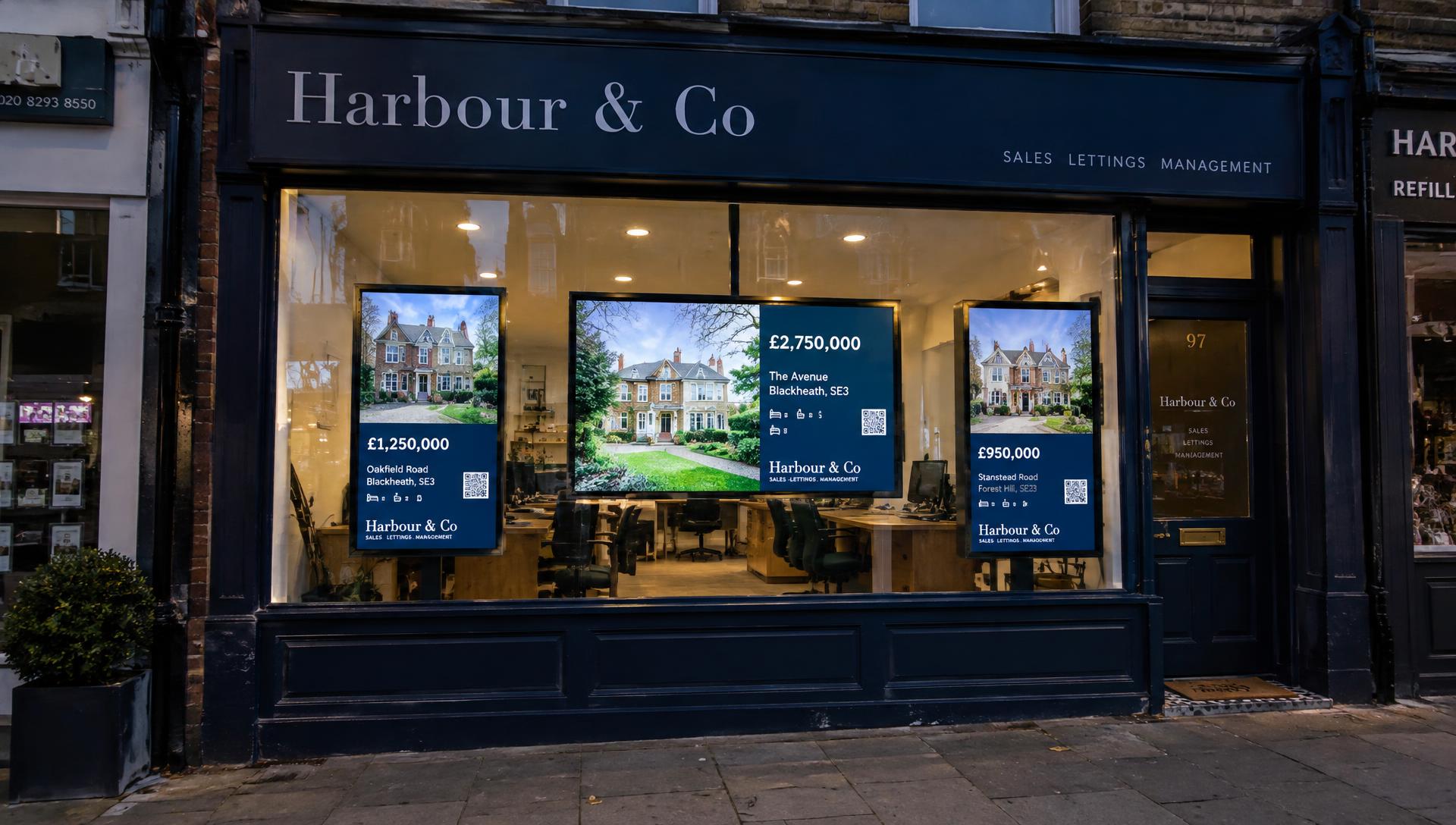
What is a digital estate agency window display?
A digital window display is a screen, facing the street, that shows your properties and marketing in a rotating sequence. In place of a fixed card per property, the screen cycles through photos, prices and key details, and can mix in brand messages and adverts.
The screen itself is only half of it. The software deciding what appears, and keeping it accurate, matters just as much.
How digital displays differ from property cards
- More properties in the same space: one screen rotates through many listings in place of showing just one.
- Movement catches the eye: a changing display draws more attention from passers-by than static print.
- Updates without reprinting: content changes in software rather than at the printer.
- Mixed content: properties, campaigns and branding can share the same screen.
If you are still weighing up traditional options, our overview of estate agent window displays compares cards, illuminated pockets and screens side by side.
Portrait and landscape screen layouts
Portrait screens echo the shape of a traditional property card and suit narrow window bays or a row of displays. Landscape screens give a wider canvas, suiting multi-property layouts and video adverts.
Vierra Screens supports both orientations. Layouts can show a single featured property or two, three or six properties at once, and an optional strip can show the time, date and local weather.
Showcasing properties, branding and campaigns
Properties
Listings appear with their photos, price and key facts, using your agency's colours, fonts and logo.
Enhanced properties
Give selected properties more attention with featured layouts, for as long as you choose. You can also set rules so that new instructions or price reductions are enhanced automatically.
Campaigns
Add your own finished artwork or short videos, such as free valuation offers or landlord services, and decide how often they appear between properties.
Scan to enquire
Each property can carry a QR code that opens a branded mobile page, so someone standing at your window can save the property, share it or send an enquiry.
Updating content without replacing printed cards
With Vierra Screens, property information comes from your connected property software. When a property is added, reduced or withdrawn, the display follows your listings, and there is no playlist to build because Vierra works out the rotation for you.
Using suitable existing hardware
No proprietary Vierra screen or media player is required. Vierra Screens runs on compatible Smart TVs, so some offices can start with a screen they already own. Check compatibility before relying on an existing TV, and bear in mind the brightness advice below.
Choosing screens for your window
Brightness
This is the biggest factor. Standard consumer TVs are designed for living rooms and may be unsuitable for bright, sun-facing shop windows, where the picture can look washed out. Commercial high-brightness displays are built for this and are often preferable in strong light.
Orientation
Decide on portrait or landscape before buying mounts. Not every TV is designed to run in portrait, so check the manufacturer's guidance.
Reliability and running hours
Window screens may run for long hours every day. Commercial displays are generally rated for extended use; consumer TVs may not be.
Location and mounting
Consider viewing distance, glare from street lighting, heat build-up behind glass, ventilation, secure fixings and access to power and internet.
Compatibility
Suitability depends on screen brightness and exposure to sunlight, operating-system and Vierra Screens compatibility, manufacturer-supported operating hours, and mounting position, ventilation and installation conditions. Vierra Screens does not work with every Smart TV or commercial screen, so we'll confirm whether yours are suitable before you start.
How Vierra Screens works
- Connect: link your supported property software.
- Pair: pair each screen to a branch using a short on-screen code.
- Display: your properties appear in an automatic rotation.
- Refine: enhance properties and add campaigns whenever you like.
Pricing
- First branch: £49 + VAT per month, including three screens.
- Each additional branch: £30 + VAT per month, including three screens at that branch.
- Additional screens: £10 + VAT per screen, per month, beyond the three included at each branch.
For example, three branches, with three screens in each, cost £109 + VAT per month. Screens and physical installation are not included in the subscription.
Wondering how screens compare with backlit card pockets? Read LED light pockets vs digital screens, or see the Vierra Screens homepage.